Roll out location reporting across retail branches
Use a small branch pilot to evaluate reporting coverage before expanding to more company devices.
A retail IT team manages company devices across branches with different network conditions and device populations. The rollout decision should be based on observed reporting and a clear support process, rather than on the number of branches where a setting was enabled.
Define a representative pilot
Choose a small set of branches that represents the platforms, ownership, enrollment and connectivity conditions you need to support. Confirm who owns the rollout and who may review location data. Record the intended device population by identifier and site before changing settings.
Choose concrete questions: Can the selected company devices report? Are the report times useful for the operational task? Can branch support explain location off, no position yet, an older report and an unsupported action? If geofences are part of the rollout, can the team explain assignment and event timing?
Establish the baseline
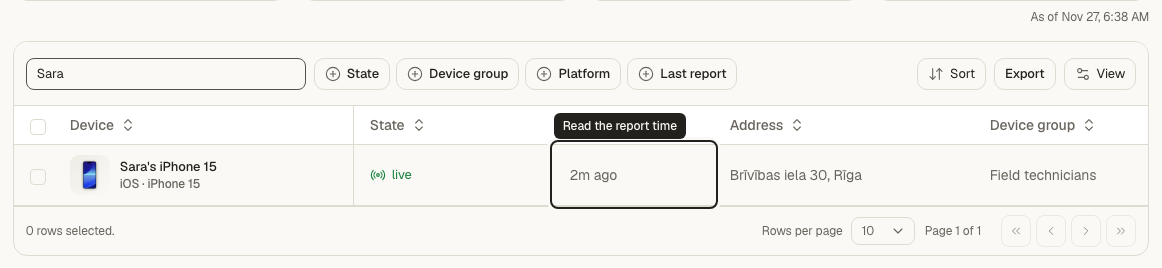
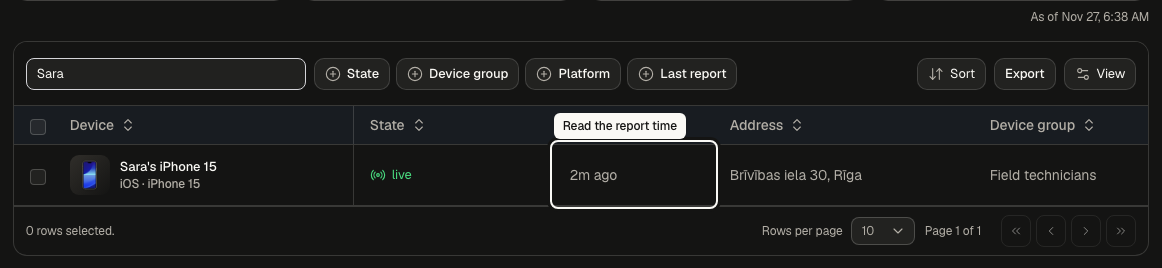
In Geolocation → Overview and Devices, record the relevant counts with their population and observation time. Keep the difference between devices capable of reporting and devices currently showing a useful report. An overall percentage can hide one branch or platform that has never sent a position.
For each pilot device, record its platform, ownership, available action and last report time. Preserve the denominator when comparing branches: five reporting devices out of five selected devices is a different population from five reporting devices out of fifty.
Apply a bounded configuration change
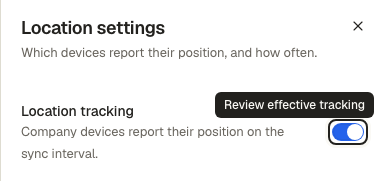
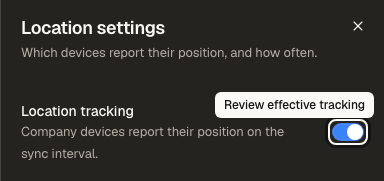
- Review Location settings, including organization and platform controls.
- Inspect Advanced for the currently selected reporting interval and geofence alert preference.
- Make only the approved change, save it, and reopen the panel to verify the saved configuration.
- Check individual pilot devices for request or receipt evidence and recorded positions as available. An unchanged position time can reflect coalesced nearby reports, so do not count it as a failed response by itself. Keep settings verification separate from those observations.
- Record exceptions and the responsible support owner rather than expanding the rollout to make the summary look complete.
Do not assume the organization-level setting is branch-local. Confirm its actual scope before using a single branch as the target of a change.
Decide whether to expand, pause or reverse
| Observation | Decision to consider |
|---|---|
| Selected devices report and support can explain the states | Expand to the next approved population |
| One platform or branch has persistent missing reports | Pause that slice and investigate its eligibility/settings/connectivity |
| Access or privacy scope is unclear | Pause collection or access changes until the scope is resolved |
| Notifications are required but unverified | Complete a separate event and delivery test before accepting that workflow |
| The change caused an unacceptable operational effect | Restore the recorded settings through the supported controls and verify the result |
Keep the pilot acceptance criteria with the rollout record. Do not publish a percentage without its period, population and treatment of unsupported or missing data.
Operate after expansion
Review exceptions by cause and site, keep device assignment accurate, and document who responds when a branch device has an older or absent report. Use location history or exports only for an approved task. A durable rollout includes ownership and a response path, not just a configuration screen.
The value is a repeatable way to expand reporting while exposing gaps early. Any claim about reduced loss or faster investigations needs measured evidence from your organization; it is not an automatic result of enabling the feature.