Recover a missing field device
Triage a missing company device using report freshness, available actions and a controlled response handoff.
A field-service device is not returned at the end of a job. The service desk needs to identify the correct asset, understand the age of the available location, and decide whether an authorized device action or escalation is appropriate. A useful response preserves uncertainty instead of turning an old report into a recovery claim.
Narration uses an AI-generated stock neural voice. The walkthrough uses illustrative company records, not a live customer tenant.
Establish identity and responsibility
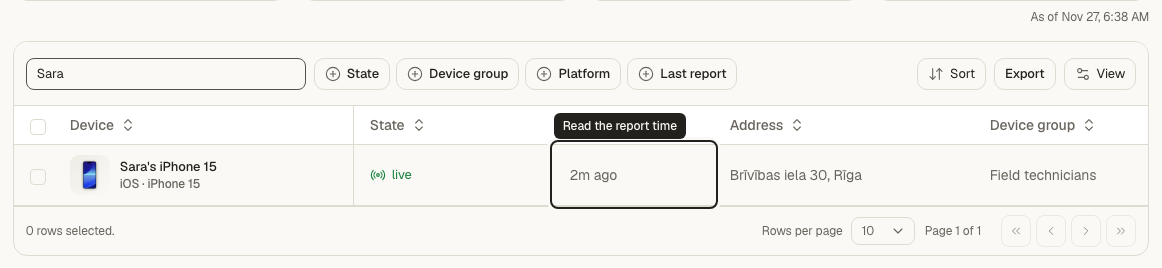
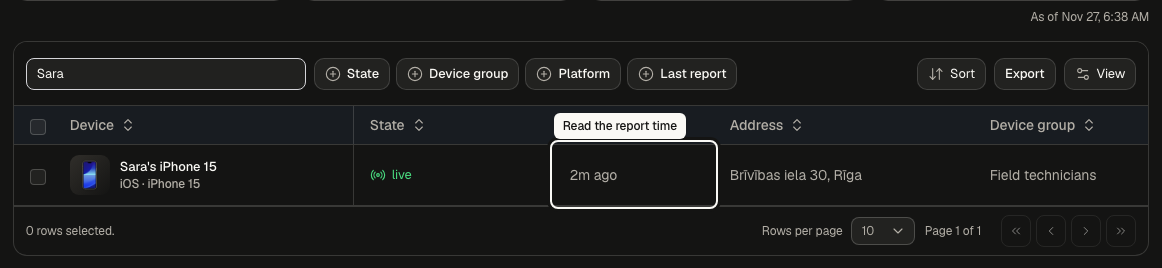
Start with the device identifier from the asset or service record. Check the user-reported device description against the company record, then verify ownership and the person responsible for the incident. Restrict location access to the people working on the response.
Define the expected handover: the service desk collects the initial facts; the authorized device administrator handles available management actions; the incident owner decides on physical recovery and separate security measures. Keep emergency or physical-risk response within your organization's established procedure.
Build the first evidence record
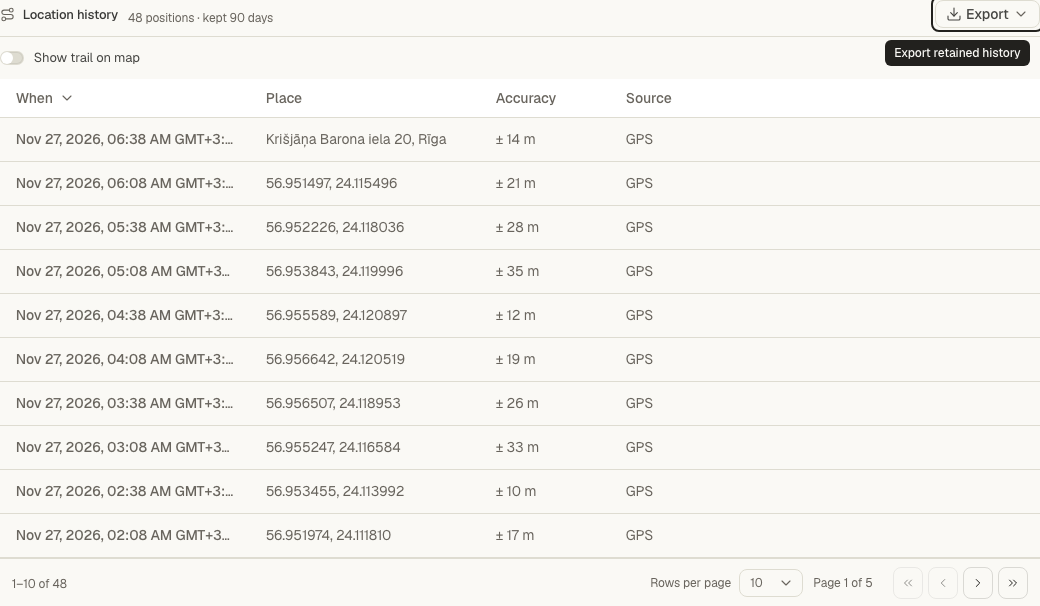
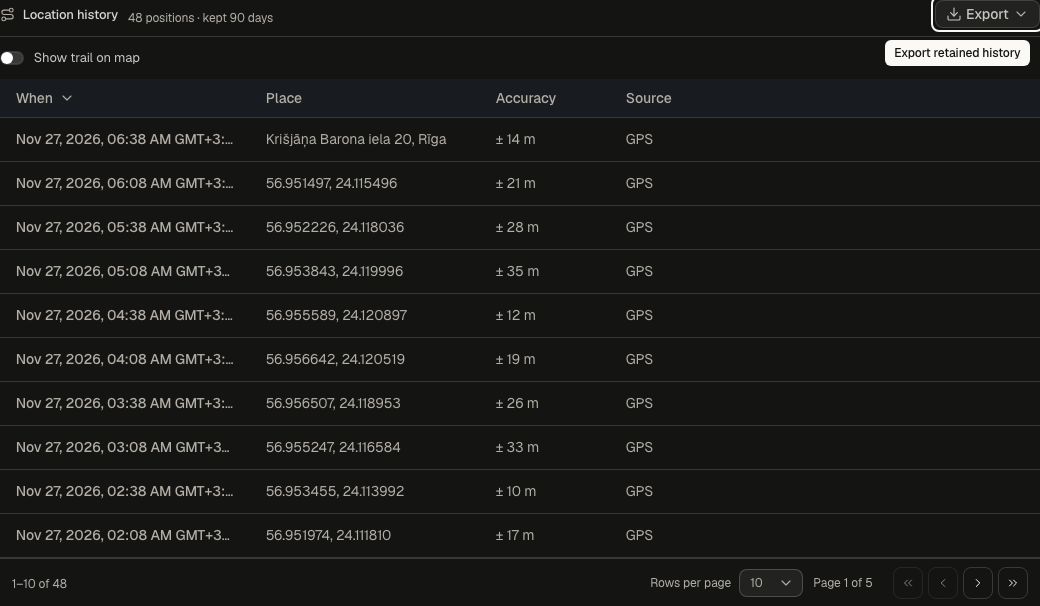
In Geolocation → Devices, inspect the device state and last report. Open the device's Location section to record the absolute report time, time zone, coordinates or address, and available accuracy. Distinguish this from the device's general last check-in: a connectivity check-in and a position report are not the same observation.
If history is available and needed for the incident, inspect the relevant report sequence. Do not infer a continuous route or the identity of the person carrying the device from separated location points.
Choose the appropriate next step
| Device condition | Response decision |
|---|---|
| Reporting and eligible for Locate now | Issue one request; check its outcome, available receipt evidence and the recorded position separately |
| Older report or offline device | Preserve the older evidence and investigate connectivity; do not call the position current |
| location off | Review effective settings for scheduled reporting; evaluate authorized on-demand eligibility separately before issuing Locate now |
| no position yet | No usable recorded position is available; inspect eligibility, permission explanations and response evidence |
| Unsupported or unavailable action | Use the displayed reason and the supported escalation route |
| Supported company device with an authorized Lost Mode response | Follow the device-specific Lost Mode procedure and verify the resulting state |
An accepted action is a request outcome. It does not establish a recorded position change, a processed lock, or physical recovery. A device can also answer and send a nearby repeated report without creating a new position record. An unchanged position time alone does not establish failure. Preserve request, receipt, position and recovery observations separately.
Handover and closeout
Give the incident owner the device identifier, baseline time, action request/result, later observations, and unresolved conditions. Share only the location detail required for the task. Export history only when its purpose, recipients and storage are approved.
After a device is recovered, verify it against the company record, complete the recovery process, and turn Lost Mode off through the supported action where applicable. Check the final state rather than assuming that physical return completed the management action. Close the incident with the actual observed result and any remaining follow-up.
Where the value comes from
The workflow gives service-desk and IT teams one consistent handover and prevents common reasoning errors: confusing check-in with location time, interpreting an old pin as current, or reporting command acceptance as successful recovery. Measure the effect in your own incidents using a defined baseline; do not infer a recovery guarantee from the availability of Geolocation.