Enable location reporting on a test device
Practice a scoped reporting change and separate saved configuration, device response and recorded position.
Use this exercise to verify a controlled reporting change for one company test device. Your evidence record must distinguish what was saved, whether the device answered or reported, and what position is stored. A later position-history time is not the only possible evidence of a device response.
Narration uses an AI-generated stock neural voice. The walkthrough uses illustrative company records, not a live customer tenant.
Prepare the device and scope
Use an approved test environment or explicitly authorized company scope. Confirm the device identifier, ownership, platform, enrollment and the actions available to your account. Keep a person available to coordinate the device if your test needs physical interaction.
Before changing an organization or platform setting, confirm what else it affects. A filtered table or membership in a test group does not make a company-level control apply only to that device. If the required scope is not approved, stop this change path and obtain the correct operational arrangement.
Create a worksheet containing: device identifier, selected scope, previous settings, baseline position time/time zone, accuracy, request result, available receipt evidence, stored position, and the owner of any unresolved condition. Do not fill unobserved values from assumptions.
Step 1: read the baseline
- Open Geolocation → Devices and find the test device.
- Read State and Last report, then open the device and select Open record → Location.
- Record the absolute position time, coordinates or address, and available accuracy. If no position exists, record no position yet or the actual state shown.
- Check Tracking and Lost Mode for ownership, tracking information and available actions. Keep the general device check-in separate from the position time.
An unavailable action needs its displayed explanation and an eligibility review. Do not change ownership or enrollment merely to expose a button.
Step 2: inspect the saved settings
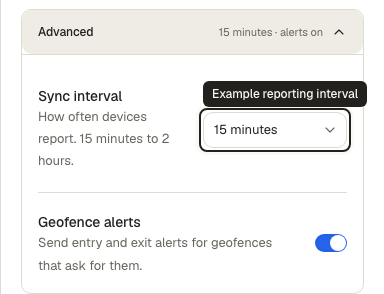
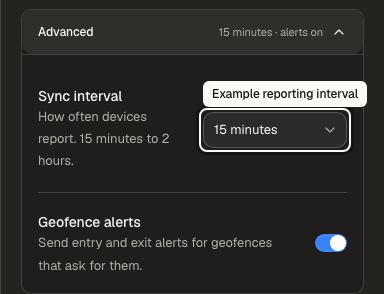
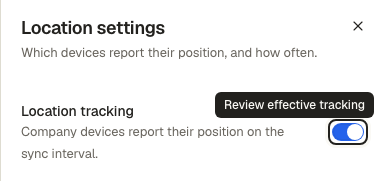
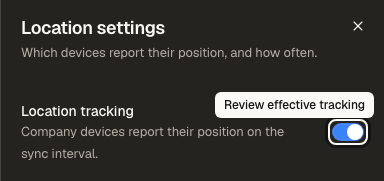
Open Location settings from Geolocation and wait for the loaded configuration. Review Location tracking, the applicable Platforms, and Advanced. Record the current Sync interval and Geofence alerts preference; the value in an example is not proof of your organization's default.
The interval describes scheduled reporting, not a guaranteed response deadline. The alert preference concerns a different stage from receiving or recording a position.
Make the smallest approved change. Review the affected values, select Save when enabled, close the panel, and reopen it to confirm the retained setting. If the panel says No changes to save, check whether an edit was actually made. Use Discard if you do not intend to keep an unsaved edit.
If a device-level Location tracking control is available in the record, inspect it within the authorized scope too. Do not assume that changing one layer establishes the effective configuration for every device.
Step 3: separate the observed outcomes
Return to the same device and inspect its recorded position and any available response or receipt evidence. If you use Locate now as part of the approved test, record the baseline, submit one request and read its actual result.
A device can answer with a repeated nearby observation that is combined with an existing position record. The stored position time can remain unchanged. It can also answer without supplying a position, with an explanation. Keep acceptance, answer or receipt evidence separate from the recorded position, and do not invent a response field that the product does not expose.
A newer position time establishes a newer recorded position. An unchanged time alone does not establish an unanswered request. Mark an observation unknown if the available product view does not establish it.
Step 4: explain an exception
| Observation | Next diagnostic question |
|---|---|
| location off | Which effective reporting control is off, and is enabling it authorized? |
| no position yet | Is the device eligible and able to provide its first position? |
| not supported or unavailable action | What does the device-specific capability explanation say? |
| Unchanged stored position | Is there independent response or receipt evidence? Could a nearby repeat have been combined? |
| Load, save or access error | What exact message and time should the support owner receive? |
Avoid repeated toggles or requests while the outcome is unclear. Preserve the current evidence before changing another condition.
Check and close the exercise
Explain which observation proves the setting was retained, which establishes a response or receipt if available, and which describes the recorded position. State what remains unverified and the next authorized action.
The interpretation exercise is complete when another administrator can reproduce your checks and understand both the result and its limits. That does not turn an unknown device response into a successful production test. Restore any temporary configuration required by the pilot procedure, verify the saved result, and handle any retained location evidence within the approved data scope.